
Security Camera Maintenance Las Vegas: What Does a Home System Need?
Security camera maintenance in Las Vegas is less about following one universal calendar and more about checking whether each camera still gives a clear, dependable view. Sun, dust, wind, and occasional rain can affect outdoor equipment, while power, network, storage, and software issues can interrupt recording. A simple inspection routine helps you spot changes early.
Call LivSmart to discuss your security system
LivSmart designs and installs custom security and automation systems for homes in Henderson and the Las Vegas area. To learn about its security offerings, visit the LivSmart security systems page. This article covers homeowner checks, not a promise of free service or a fixed maintenance schedule. More broadly, LivSmart's home-specific approach is described on its site.
What should you check on a camera lens?
Look at the camera image in daylight and, if relevant, after dark. Check for dust, water spots, spiderwebs, or smudges that soften detail. A dirty lens may look like a focus or night-vision problem even when the camera itself is working.
If the exterior is dusty, follow the equipment maker's cleaning instructions. Use a soft, clean cloth and avoid abrasive materials, harsh chemicals, or force on the lens. Do not open a camera housing to clean inside unless the manufacturer or a qualified technician directs you to do so. If an image stays hazy after the exterior is clean, check the recording on another device and seek help rather than attempting a repair.
How do Las Vegas weather and dust affect outdoor cameras?
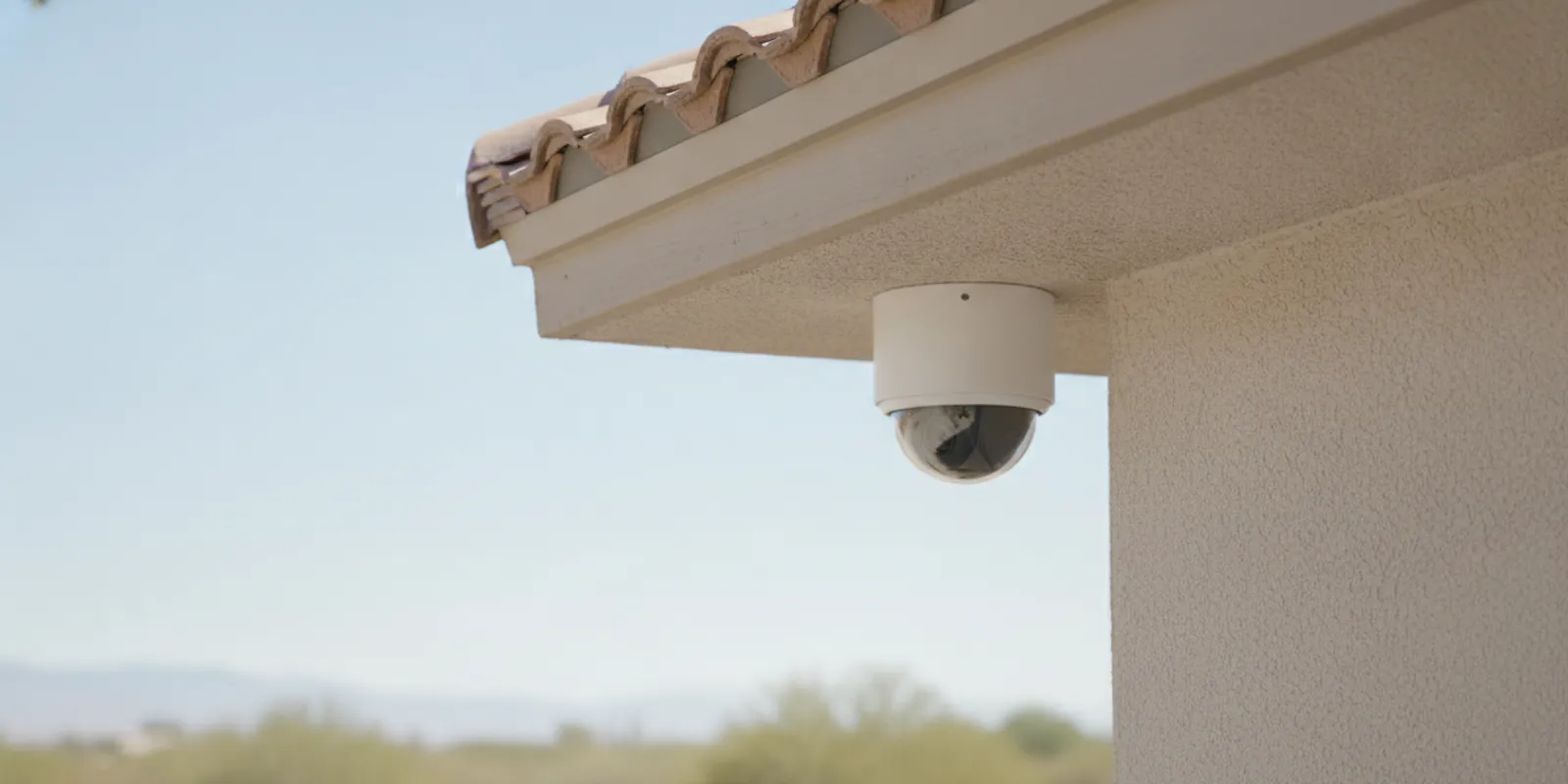
Outdoor equipment faces heat, direct sun, windblown dust, and seasonal weather. Inspect the visible housing and its mounting point for cracks, looseness, corrosion, or a shifted angle. Look for debris around the camera and make sure plants, decorations, or newly installed fixtures have not entered the field of view.
Do not spray a camera with a hose or assume every model is rated for the same exposure. Follow the specific product instructions for cleaning and weather protection. If water appears inside the housing, a cover is damaged, or a cable entry looks exposed, avoid dismantling it and arrange a professional inspection.
Are power and connections stable?
When a camera goes offline, note whether one device or several are affected. For a wired camera, check for an obvious loose or damaged cable without pulling on it or opening electrical components. For a battery-powered unit, review its charge status and manufacturer guidance. A recurring power interruption can point to a connection or equipment issue that surface cleaning will not solve.
Check the system's status screen or app for alerts, and record the time and camera name. That detail can help distinguish a single-camera fault from a larger outage. Do not climb onto a roof or use a ladder to reach equipment; ask a qualified service professional to inspect inaccessible cameras.
What should you review on the network?
Confirm that the home internet connection is working and that the camera or recorder shows as connected. A network change, router replacement, password update, or weak signal can affect access and notifications. If only one camera drops connection, note its location and whether the issue happens at a particular time or during certain conditions.
Use the system's normal restart instructions only when appropriate, and avoid repeated resets that could erase settings or recordings. If several devices lose connection together, check the router and internet service before assuming all the cameras have failed. Persistent connection issues may require a network or system assessment.
How do you check recording and storage?
A live view does not necessarily prove that footage is being saved. Review the system's recording status and, where available, play back a recent clip from each important camera. Confirm that the date and time are sensible, and check for alerts about storage capacity, recording interruptions, or a disconnected recorder.
Storage options and retention depend on the system configuration. Do not assume footage is kept for a particular number of days or that cloud recording is included. If clips are missing, preserve any relevant information and check the system's settings or service terms before changing storage or retention options.
When should you review firmware and monitoring?
Use the manufacturer's app or system interface to see whether software updates or security notices are available. Follow the product's update instructions, and avoid interrupting an update in progress. If you are unsure which component or account controls updates, ask the installer or equipment provider to clarify.
If your home has professional monitoring, confirm which devices and events are covered and how account or contact changes should be reported. Monitoring terms and response procedures vary; a camera inspection does not establish that monitoring is active. Check your agreement or contact the provider if an alert indicates a service interruption. LivSmart describes its custom security systems online; ask directly about the equipment and monitoring terms for your home.
How often should you inspect a home camera system?
There is no single schedule that fits every camera, site, or system. A practical approach is to review live views and recording status periodically, then inspect outdoor cameras after notable dust, wind, or weather events and whenever an image or alert changes. Use the manufacturer's guidance for model-specific care.
Keep a brief note of the date, camera, observed issue, and action taken. This makes it easier to spot a recurring problem and gives a technician useful context. A routine check should remain observational: do not climb, open sealed equipment, or work on wiring to reach a camera.
What can you check before calling for help?
- Identify whether the problem affects one camera or several.
- Note any app alert, offline message, or recording gap and when it began.
- Check visible lens cleanliness, camera angle, and obvious exterior damage from a safe location.
- Verify the internet connection and system status without changing unfamiliar settings.
- Review recent router, password, account, or power changes that may be relevant.
- Have the equipment details and monitoring questions ready, if available.
For a camera that remains blurry, repeatedly disconnects, or shows signs of damage, professional troubleshooting is safer than opening the housing or attempting a high-access repair. A consultation can help clarify what system components need attention; the scope and any service terms should be confirmed directly.
For equipment-specific care, consult the instructions from the camera manufacturer. The U.S. Federal Trade Commission's consumer guidance on securing internet-connected devices recommends keeping software updated and using strong, unique passwords; see its guidance for home Wi-Fi security. These account and network steps complement, but do not replace, checking whether cameras record correctly.
Call (702) 508-6441 to discuss a security system assessment
What is the practical takeaway?
For a Las Vegas home security camera system, focus on clear images, intact outdoor equipment, stable power and network connections, confirmed recordings, current software, and verified monitoring status. Check safely, follow equipment-specific instructions, and ask a qualified professional when the issue involves wiring, inaccessible hardware, damage, or recurring failures.

